
Welcome to the Unity 3D Editor tour, here I will explain the editor thoroughly as needed for a beginner. You may explore more of the Unity Editor after reading this tutorial.
Unity Hub
Unity Hub is the starting point today. It is where you save and keep your files and projects. Link to download Unity Hub is at the bottom.
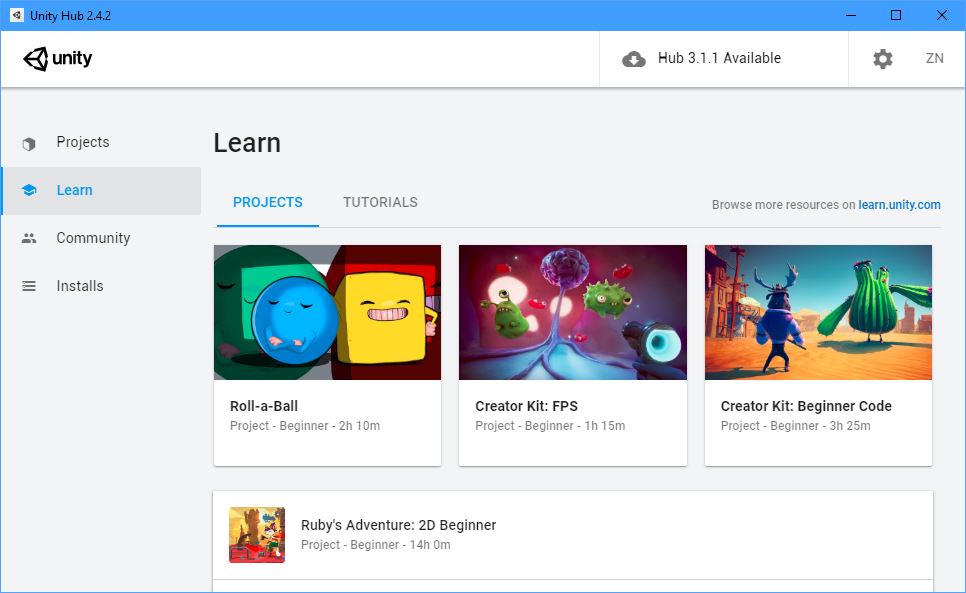
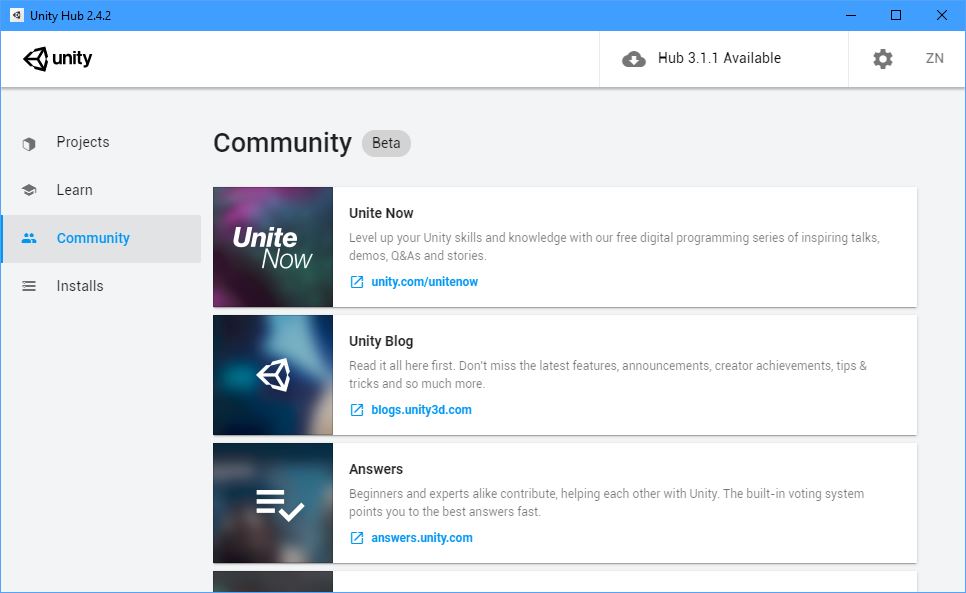
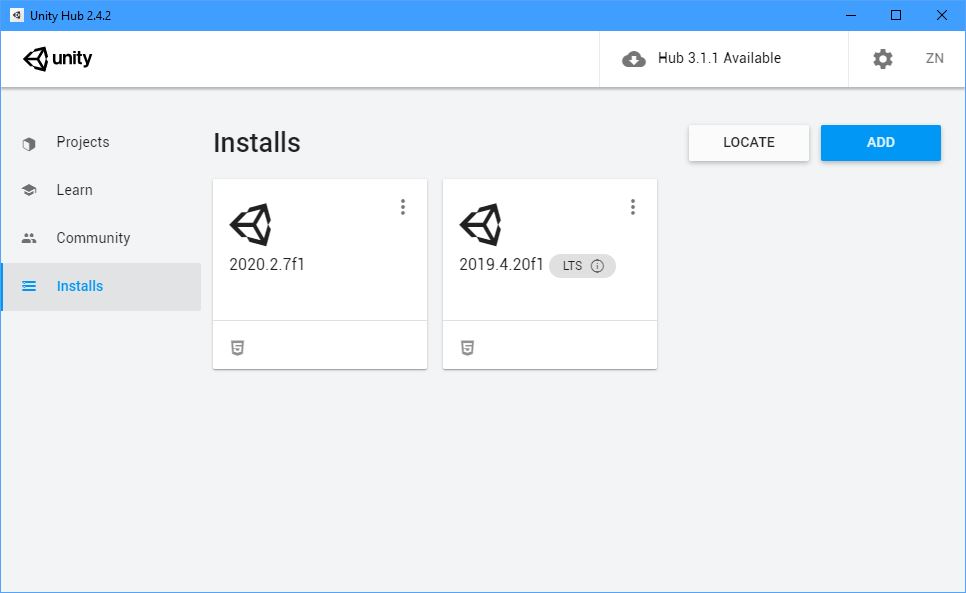
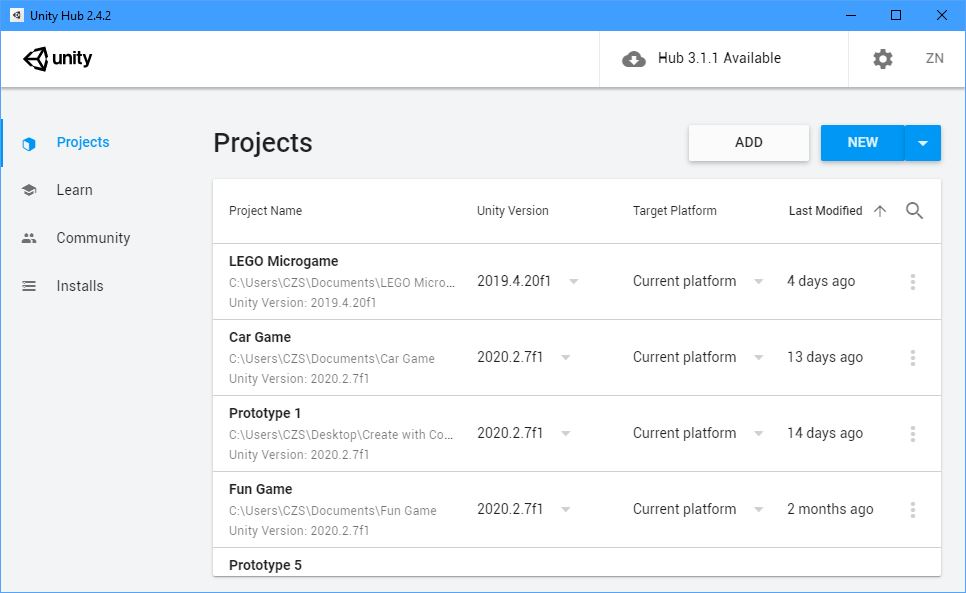
As you can see, the projects tab is the most important as it is where you save and open your projects. The top left image is the learn tab. It is where you can see tutorials for Unity, make sure to check that out. The center top image is the community tab. This is where you can access the forums, live help, and more. The top right image shows the installs tab. That is where you can see your Unity Editor installs and versions.
Now let’s make a new project!
We can return to the Projects page and now we can press on the ‘NEW’ button to add a new project.
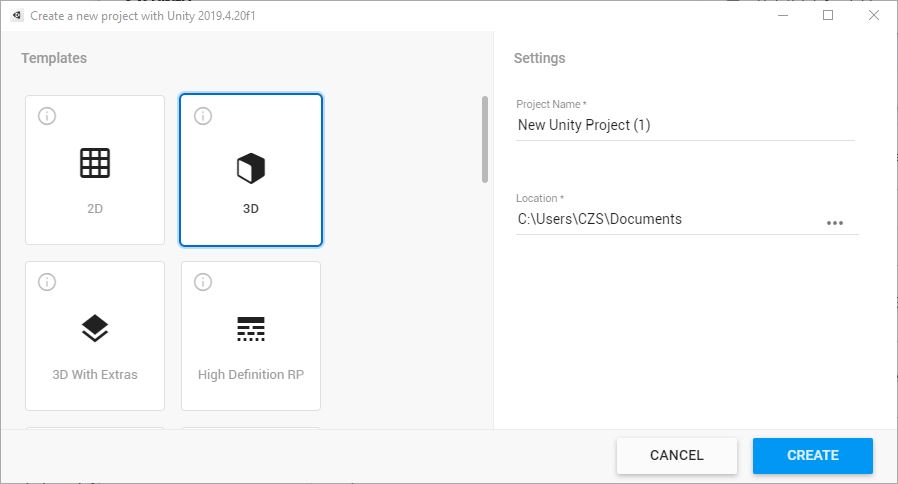
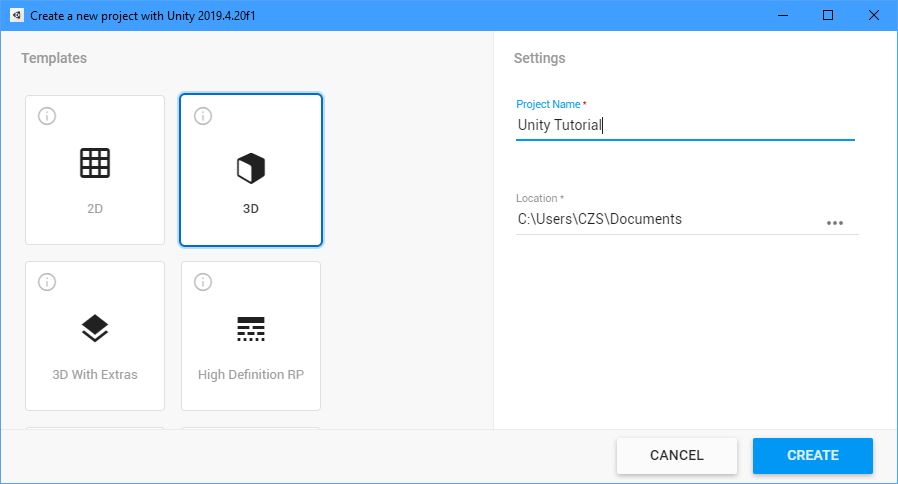
You will see the left image first. On the right column you can choose the type of game you want. The types vary so we’ll stick to the 3D for now. You can rename your project (right window) and choose the path to where it will save on your files.
Unity Editor
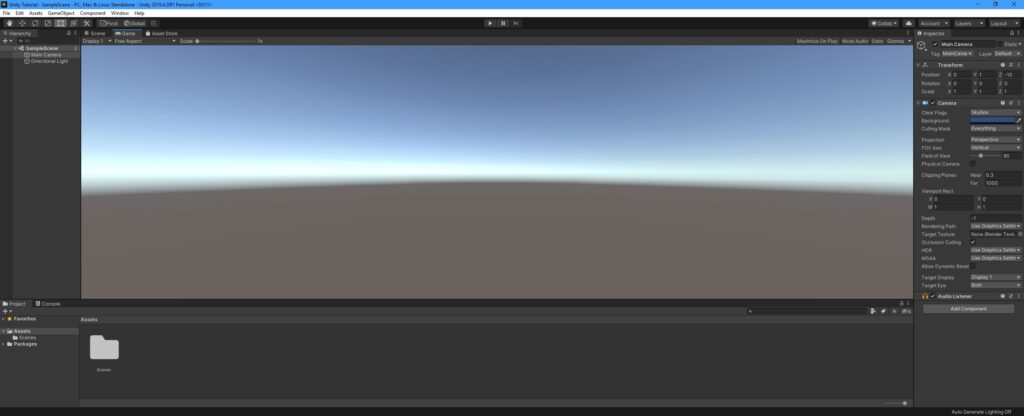
This is the editor when you enter.
- The bottom window in the editor is the project window. This is where you store all your project files like: materials, scenes, scripts, etc.
- The console window is where your debug lines or errors appear when running the game and editing.
- The right window is the inspector window. That is where you can change and view the properties of a game object.
- The left window is the hierarchy window where you can view all the objects in your game.
- In the top right corner of the screen you see a button called ‘Layout’. You can change the layout of the editor and position of your tabs there.
- In the middle there are two main tabs, the scene and game tab. The scene tab is where you edit all of your visuals in the game.
- The game tab is what you see when you play the game.
I hope you will enjoy using Unity as well I do. If you have any questions please ask in the comments.
That will conclude this tutorial. Mind you, this was only the very basics of the editor so I recommend you read or watch other tutorials to help you understand more.
Links:
Unity Hub + Editor: Unity Download Page